Photoshop Lady
Your Favourite Photoshop Tutorials in One Place
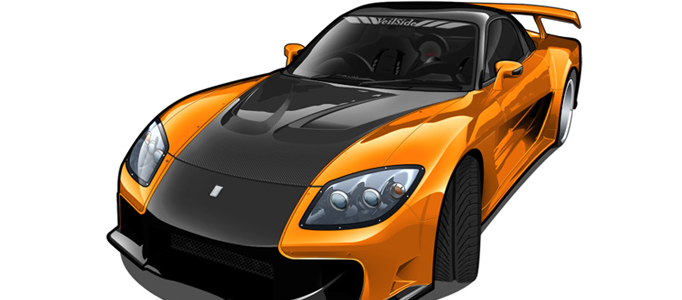
Create a Brand New Car
Under Drawing Effect, Photoshop Tutorial
This tutorial will show you how to create a vector car.
Design a 3D Grand Car in Motion
If you are a car lover, probably you like to design your own car for yourself. You may wonder how to make your car design to be more grand and look like moving. This tutorial will teach you some skills to add on some reflective effects and make your wheel in moving.
How to Create a Fantastic Universe in Photoshop
No need any photos, you can create a fantastic easily. This will present you some skills to create a fantastic universe using Photoshop brushes. It will give you an idea to make your own universe using different color and different size or type of brushes.
Making a Fantastic Lady Portrait
Drawing a nice portrait is difficult and time-consuming. Therefore, good drawing skills can speed up your drawing time and improve your drawing. Here will give you some tactics to work out nice hair and face for a lady.
Create a Fabulous Rose in Photoshop Tutorial
Sometimes, you may want to draw / create a flower in digital form. This tutorial is going to teach you to draw a nice rose using Photoshop. It is not difficult as long as you follow the steps.
Making of a Nice Mechanical Fan
Making a mechanical fan is like drawing other 3D objects. It can be based on some certain shapes such as circle. Once the shape of fan is formed, you can add on some shadows.
Create An Old Envelope
In this tutorial, it will show you how to create an envelop with stamp like the realistic one.
Create a Dramatic Explosion Effect
Apart from using photo combination effect, you can use the default brushes and blur functions to create a dramatic explosion for your artworks.
Drawing Realistic Clouds in Photoshop
To create natural scene, sky and clouds are essential elements. You may not know the tactics to set up brushes for clouds creation. Here will present the tactics (e.g. adding shadow and forming layers) to work on the clouds nicely.