
Photoshop Lady

Your Favourite Photoshop Tutorials in One Place

Making Your Fur Monster

Under ,

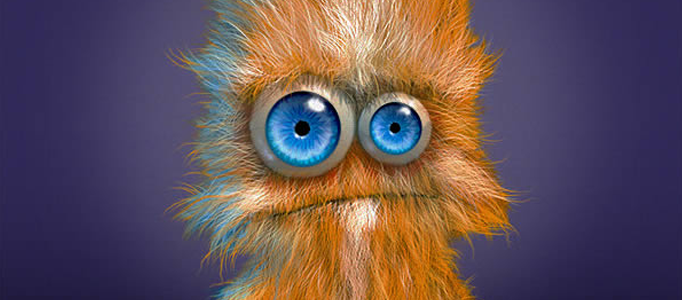
Painting fur is usually time consuming. Without good techniques, you cannot draw good fur for animals. In this time, here will show you to make your fur monster using photoshop brushes. After adding two eyes and a month, drawing for a cute monster is done.

Building a Dramatic Dead City

Building a Dramatic Dead City

If you are confident to make any objects, you can then move to next stage to make a great scenery such as a dead city. In this tutorial, you will have a chance to look at how to build up a proper scene and turn it into a dead city afterwards.

Painting a Proper Beautiful Model in Photoshop

Painting a Proper Beautiful Model in Photoshop

Painting a human object is not an easy task. Advance skills are always required in order to form a very elegant and fine results. This tutorial will advise you some advance skills to paint a proper model.

Drawing a Fantastic Hair for an Image

Drawing a Fantastic Hair for an Image

You may wonder how the designers to draw the hair. There are always some tactics which can speed up the process. Although it is generally using brushes to draw, different method would end up different result.

Tips for Design a Modern Car

Tips for Design a Modern Car

What do you need to design your dream car? you need to prepare a hand draft and then paint like other digital paintings. To make a special car, the look and shape cannot be similar to normal one. This tutorial will demonstrate you some enlargements for details.

How to Draw a Realistic Lip in Photoshop

How to Draw a Realistic Lip in Photoshop

Lip is an essential part for human portrait. This is a step by step tutorial on painting realistic lips. Although this is digital painting, the same principles apply to traditional painting.

Anime Girl Wallpaper

Anime Girl Wallpaper

In this tutorial, it will show you how to create a beautiful anime girl wallpaper. Firstly, you need to create a background and prepare the drawing. Once you have your design drawing, you can transfer the drawing into photoshop format. Most of designer would like to transfer it by scanning. And then start the paint by photoshop tools.

Create an Imaginative City using Photoshop

Create an Imaginative City using Photoshop

There are various painting skills, but lots of them are so complicate and not easy to follow. Different drawings are required different kinds of painting skills. Here is a good one for your reference.

Drawing a Hairy Monkey

Drawing a Hairy Monkey

Drawing an animal is not a easy task. From drafting to painting, it needs a lot of imagination and try and error steps. Some kinds of techniques are always the drivers to increase your speed to accomplish this artwork and result to have higher quality of product.