
Photoshop Lady
Your Favourite Photoshop Tutorials in One Place
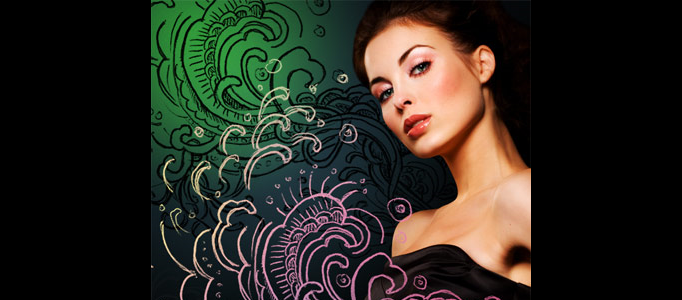
Hand Drawn Design Pattern for an Image
Under Photoshop Tutorial, Texture & Patterns
There are several ways to create hand drawn images. User can create it from draft and scan an actual hand drawn sketch. And, most of tutorials would like to initiate it from a drafting and then paint it.
Creating Awesome Retro in Photoshop
In this tutorial, it will demonstrate you how to create the awesome retro. Sometimes, it is better to apply the retro for your background rather than an image. As retro creation is relatively simpler. You can create your own retro easily by changing the color setting.
Excellent Embroidery Painting for Cloth
In this tutorial, it will display you excellent skill about painting your cloth with embroidery. It is very tutorial to show such an awesome work. It is not easy to draw the embroidery pattern on the cloth since it is not flat. You will learn a lot of photoshop skill after completion with this.
Metallic Styles in Photoshop
In this tutorial we’re going to create a metallic effect using layer styles and gradients that you can apply to different objects. We’ll put it on a nice background and create a style for lettering that makes it look like it’s embedded into the metal. And there you have it, the finished product!
Create a Nice Smudge Signature
To some common Photoshop users, they may not be familiar to create a smudge signature. The procedure for this creation is not as complicate as you thought. You can generate your signature in few steps using blending mode’s function.
Create a Cosmic Cross Sign in Photoshop
Something simple can be turned into a nice art. Here will show you to work on a special cosmic cross sign using space as a background. This is created by regular shapes with overlapping each other in some cases. After color adjustment, then we are done, the result looks like a pattern.
Impressive Colour Spectrum and Rainbow Tutorial
In this tutorial, it will show you how to create some line patterns. Sometimes, it will be nice to create your background with this kind of style. Easy, fast & simple! To create this, user has to be aware of contrast and brightness.
Water Drops in Photoshop
This is a video tutorial. It will show you how to create some realistic water drop in 5 mins. The basic idea of how to create water drops is that they are a bit complex, they have highlights, shadows, transparencies, inner shadows and inner highlights. The best thing is that we can create all of those effects using the Layer Styles in Photoshop.
Awesome Colorful Bubble Effect
In this tutorial, it will show you how to create a nice colorful bubble effect in Photoshop. To begin with, you need to create a background in black, then start to define the circle pattern brush. After the bubble creation, apply the color effect to finalize this tutorial.


