
Photoshop Lady

Your Favourite Photoshop Tutorials in One Place

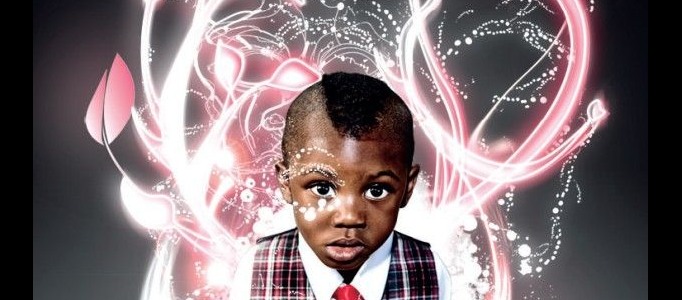
Expressive lighting effects

Under ,

In this tutorial, it will show you the ways of bringing originality to digital lighting by introducing and vectoring traditional sketches, as well as examining some nifty Illustrator-based stroking techniques.

Please Login Before Adding Tutorials to Your Favourite List
Design a Liquefied Traditional Car

Design a Liquefied Traditional Car

To specified and beautify your car, except changing the car color or adding some shining effect, you can add some special effects such as liquefy it with simple background.

Modern Ruins

Modern Ruins

This tutorial will show you the steps and tricks in turning Hong Kong harbor into a wasted reflection of itself. Do a final once over, selectively desaturating anything that pops too much.

Create an Explosive Cover with Super Techniques

Create an Explosive Cover with Super Techniques

In this tutorial, it is going to show you how to make a creative illustration in a style meant for a video game cover or sci-fi book cover. With some cool Photoshop options, you can turn all your chosen images like the games, poster or cartoon , into one stunning looking explosive cover.

Create a Dramatic Sky City

Create a Dramatic Sky City

To create a sky city, main features for the buildings would be constructed in the sky. Using photo combination, you can combine different existing special buildings together to form your wonderful city.

Fantasy Art in the Lake

Fantasy Art in the Lake

In this tutorial, it will show you how to create some special art on the existing photo. And, here the author give this a name called “Plasma” (Star, not the TV!).

Transform a Nice Lady into a Beautiful Angel Art

Transform a Nice Lady into a Beautiful Angel Art

Sometimes, you may want to transform your image into something different. You can use different objects to stick your image to form a different scene such as adding wings on the back, changing the look or arrange a special background for your image.

Photo Manipulation – Lady Down to the Water

Photo Manipulation – Lady Down to the Water

Using photo manipulation, you can create a special scenery based on simple objects. You can use images of lady, sea, and a electric machine to create a combination of those images. The major skills in this tutorial are cutting image and color & lighting adjustments.

Creating a 3D effect with image editing software

Creating a 3D effect with image editing software

Here’s how to make a neat effect to make it look like the subject of a photo is popping out of the background. This can be done with Photoshop. After few steps, your subject is now popping out of the picture!