
Photoshop Lady
Your Favourite Photoshop Tutorials in One Place
Easy Way to Work on a Great Text Art
Under Photoshop Tutorial, Text Effect
In this tutorial, this tutorial demonstrates how to create elegant 3D type without using a CG suite such as Cinema 4D or Maya. Instead, it uses the 3D tools in the Extended version of Photoshop CS6.
Creation of Brick Effect for Text
Learn how to create a 3D brick typography in Photoshop using a free 3D action maker. We will combine the brick text effect with different images to create a surreal photo manipulation. Based on the same idea, you can use other textures like wood for example to create your own interesting text effects.
Apply Style Texture Effect to Text
You may find difficult to look for a suitable texture for your text. In this case, you need to create one for your own, you can refer to this texture effect adjust the color and style to suit for your topic.
Dramatic Text on Fire Effect
In this tutorial, it will show you how to use a photograph of fire to set text to the match. We’ll render the look on a nice dark background with a gorgeous text effect to complete the image. Finally we’ll add a last highlight. So create a new layer above all the others and draw in a white to black radial gradient.
Elegant Text Effect for 2013
To welcome 2013, the most direct way is to design a nice text style for it. The “2013″ is developed in 3D style plus a nice texture in golden color. You can use the same effect to make different words in your favorite color.
Design a Refined 3D Text Effect
Different styled 3D text effects can be used to match with different sort of topics. This refined 3D text effect can suitably match with your clean and simple background. In addition, most of steps are done in blend mode setting, so it is easy to learn.
Design a Style 3D Text Effect in the Sky
To design style text effects, it can be very easy. Even you use some simple photoshop photo combination effects, which can also form a good style text. In this tutorial, the designer just combined some images as a background of the 3D text image to form a integrated picture.
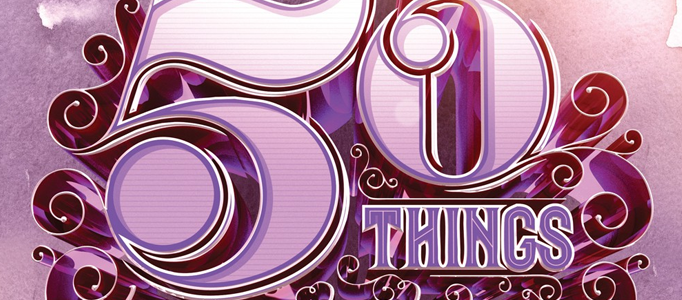
How to Create a Richly Ornate Typographic Illustration
In this tutorial, it will teach you how to make a Richly Ornate Typographic Illustration by Illustration and Photoshop. Except text fonts, this is also a good idea to present the text.
Amazing Explosion 3D Words in Photoshop
In this tutorial, the tutorial will show you how to create a very cool poster in just 10 steps. We will use Adobe Photoshop and Illustrator, but you may use other tools.


