
Photoshop Lady
Your Favourite Photoshop Tutorials in One Place
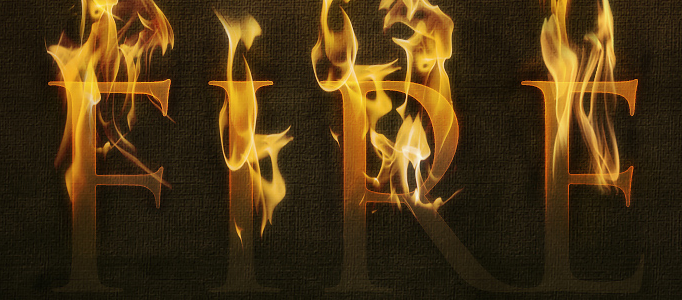
Dramatic Text on Fire Effect
Under Photoshop Tutorial, Text Effect
In this tutorial, it will show you how to use a photograph of fire to set text to the match. We’ll render the look on a nice dark background with a gorgeous text effect to complete the image. Finally we’ll add a last highlight. So create a new layer above all the others and draw in a white to black radial gradient.
Creating A Retro Grunge Poster
In this tutorial, it will show you how to create a retro grunge poster. The tutorial is an add on from the Poster article the other day, we will create a Retro/Grunge style poster using the pen tool some textures and playing with text to make it look more retro.
Create a Nice Laser Text Effect
Special text effect can increase the attractiveness. However, you have to choose right text to match with your background. This laser effect can be used for some mysterious or dark background.
Create a Nice 3D Stone Text Effect on Grass Field
Design some nice text effect could be very challenging as you need to figure out how to use different kinds of text to match with different background nicely. This creation has arranged some 3D stone texts on a grass field which makes the scene so differently.
Create a Crispy-Crust Text Effect with Flower Texture
In this tutorial, it will show you how to create the Crispy-Crust text effect with flower texture in Photoshop. This tutorial is simple and nice. Most of the steps are processed in “Layer style”. Surely, you will get familiar with the adjustment after complete this.
Wonderful Colorful Text Effect in Photoshop
If you want to create some nice text effect, you do not need to be a Photoshop expert. In this tutorial, you just need to follow the guide to adjust the settings in layer property. The colour can be adjusted to your own style.
Create a Dramatic Typograpic Text Effect
In this tutorial, it will show you how to create a “Dramatic Typograpic Text Effect”. This is combined tutorial of cinema 4d and photoshop. The background is made by photoshop. If you would like to make the whole thing by photoshop, you just simply need to refer our previous tutorials to learn the text creation.
Fantastic Multi Color Effect for Text
This multi color effect can be applied widely for any background as long as you select right colors for your design or object. You can also change the pattern to suit different scenarios by changing the line crossing.
Awesome Blooded Mafia Text
You are going to learn how to design some awesome blooded mafia texts. How macabre it may be, adding blood to text is perhaps one of the most coolest things to do. If done right of course! It looks complicate, however, it is all about blending-modes and masking only.


