
Photoshop Lady
Your Favourite Photoshop Tutorials in One Place
Creating a Stunning Old-World Look in Photoshop
Under Photo Effect, Photoshop Tutorial
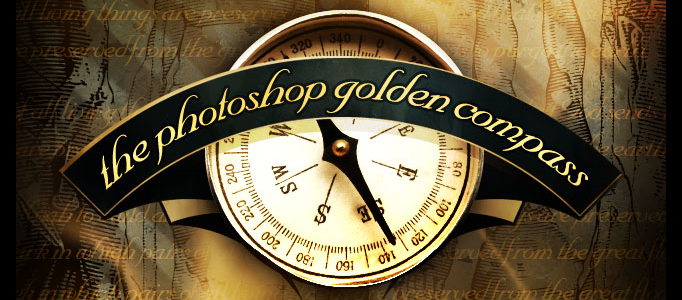
In this tutorial we are going to create a sort of “oldy-worldy” composition featuring a compass. As always there is a PSD file at the bottom of the tutorial, in this instance, downloading it as this is quite a complex composition is highly recommended. Finally we put the compass + background + banner together to form the final image!
Create a Soft Color Background for a Model
You may scratch your head to design a nice background for a plain object. If the background is too colorful or charm, then your reader would move the focus on the background. Here will show you an example to design a soft background to match with the plain object.
Easily Create a Cartoon Vector Art from a Photo
You may want to create your personal vector art based on a photo. If you haven’t try this kind of creation before, you may find very difficult to start with. In this tutorial, it will show you the simple steps to create your vector art easily and nicely.
Making an Abstract Photo Manipulation for a Dancer
In this tutorial, it will explain how to create a stunning piece of artwork using found natural elements and hidden shapes within objects. By creating a story within your work, you can really bring your artwork to life.
Adding a Fashion Style for a Lady Image
How do you add some fashion elements for your image? It can be done using Photoshop brushes. You can use brushes to add some patterns into the image like the pencil sketch. The whole image can be totally changed into a fashion style image.
Create an Elegant Lighting Effect Using Photoshop
In this tutorial, it is going to show you how to create a realistic IES (photometric) lighting effect. We are going to use Photoshop CS4 as well as some free plugins and software. You can always apply the same idea to your image and other objects you like.
Retouch a Model Portrait with Flawless Natural Skin
In this tutorial, we’ll show you how to make a glamour retouch for a model portrait in Photoshop. You’ll learn a new method to create a great look for natural skin without using any extra plugins.
Create a Surreal Artwork of Layered Heads
Photoshop allows you to create many forms of art. There is no limit of what kind of artwork we can create. The only limit is our imagination. Here will show you to create a surreal artwork for a human head.
Design a Nice Abstract Background for an Image
Simple abstract background can be applied to your image nicely. You can use the same idea to make some shapes and fill them with color and adjust colors and opacity for different shapes to form your own design.


