
Photoshop Lady
Your Favourite Photoshop Tutorials in One Place
Create an Out of Bounds Fantasy Illustration
Under Photo Effect, Photoshop Tutorial
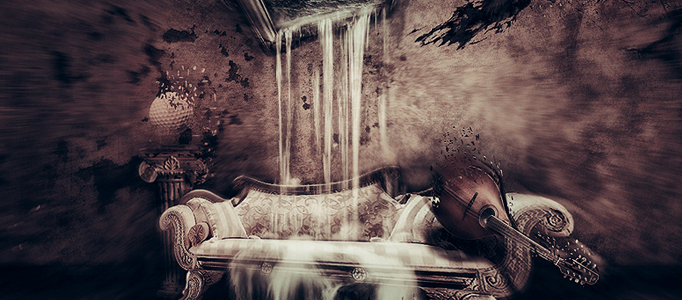
In this tutorial, we will take you through the process of creating a fantasy scene, make water pour out of a painting, make some sort of a absorption effect and end up with a really nice looking color.
Design a Grant Car on the Snow Mountain
Different objects require different nice background to match with. What you need is to find some nice environments or backgrounds and apply photo combination effects to simulate their color and lighting. Then you can form varieties of sceneries for your objects background.
Quick Way for Adding a Nice Eye Make-up
This tutorial will show you how to imitate nice eye make-up in Photoshop. This lesson will be very useful to those who process photos for fashion magazines.
Manipulating a WW2 Fighter Aircraft
In this tutorial, it will show you how to create a WW2 Fighter Aircraft. You will learn some indispensable techniques to use for any type of photo-manipulation. To do this, you need to take a photograph of a model plane and editing it to to look like a photograph of a WW2 spitfire which has just been shot down and is on fire.
Create a Fantastic Alien Fighting Scenery
How to turn a human into alien? the easy way to do may be using picture combination method. Prepare a draft of your alien, and then cut and paste a human skin from a picture to formula your alien. Using coloring and lighting effect to make it look like a single scene.
How to Create a Stylish Envelope and Letter Set
In this video tutorial you will learn how to put together a composition from scratch from scans and textures. Techniques used; pen tool, blending modes, displacement map, and others. After completing the tutorial scan your own elements, use your own textures and come up with a creative concept.
Create A Fantastic Natural Combination Scene in Photoshop
If you want to take some nice shots for nature, you do not have to go for traveling or outdoor. You can create some perfect scenes in-house, using photoshop. You can mix two or more backgrounds easily based on this idea plus the skills from this tutorial.
Create an Excellent Liquid Effect in Photoshop
To turn a human into a something extraordinary, liquid effect would be a great effect to think of. This tutorial is going to show you how to turn your image into liquefied status like a super hero. Of course, you can apply into whatever object you like.
Turning a Texture Paper into a Planet
To create an universe, it can be very simple. Using a texture paper, you can transform it into a planet easily. You need to use some Photoshop settings such as filter and layer style to adjust and add some effects. And then, you just add lens image or using lens effect.


