
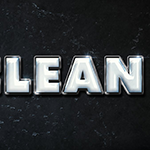
Using multiple layer styles can help achieve a more detailed and 3D-looking effect. This tutorial will show you how to use layer styles, filters, textures, brushes, and adjustment layers to create a shiny, clean plastic text effect in Adobe Photoshop. Let's get started!
中文: 暂无 中文 翻译。查看英文版 — showing the original English article below.
How to Create a Clean Glossy Plastic Text Effect
中文

Photoshop Lady 精选内容
专业指南、评测和技巧直接送达您的收件箱。无垃圾邮件,随时退订。