Photoshop LadyPhotoshop Lady
About
  1. Home
  2. /
  3. Photoshop Tutorial

Create a Dead City in Photoshop

March 14, 2026
Photoshop TutorialPhoto Effect
Create a Dead City in Photoshop

Simple photo manipulation can allow you to work on different image combinations. As long as you know tactics to cut & paste the images, and mix colors for different photos, then you can create whatever scenery you want.
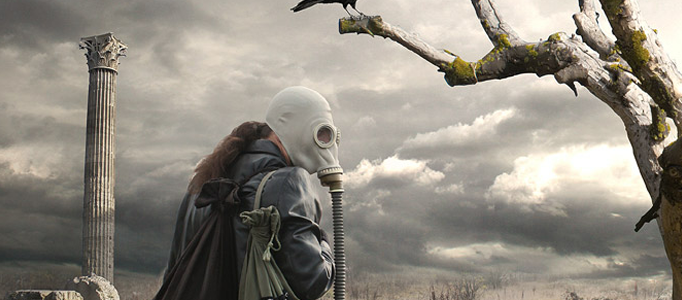
Create a Dead City in Photoshop
Create a Dead City in Photoshop L
Previous8 Tips for Starting a Freelance Art CareerNextDesign a Fashion Model using Photoshop

Related Articles

Create a Manipulated Snowing Scene

Create a Manipulated Snowing Scene

Making a Beautiful Meteor Scene

Making a Beautiful Meteor Scene

Making of a Natural Harmony Scene

Making of a Natural Harmony Scene

Drawing a Fantastic Castle under the Moon

Drawing a Fantastic Castle under the Moon

Recent Posts

  • Create a Manipulated Snowing Scene
  • Making a Beautiful Meteor Scene
  • Making of a Natural Harmony Scene
  • Drawing a Fantastic Castle under the Moon
  • Making a Wonderful Hawk in Photoshop
Photoshop Lady

Photoshop Lady

Top Graphic Content and Most Advanced Stock Image Search Engine

Quick Links

HomeAboutPrivacy PolicyTermsContact

About Photoshop Lady

Photoshop tutorials, design techniques, and creative resources for digital artists and designers at every skill level.

© 2026 Photoshop Lady. All rights reserved.
