
Photoshop Lady
Your Favourite Photoshop Tutorials in One Place
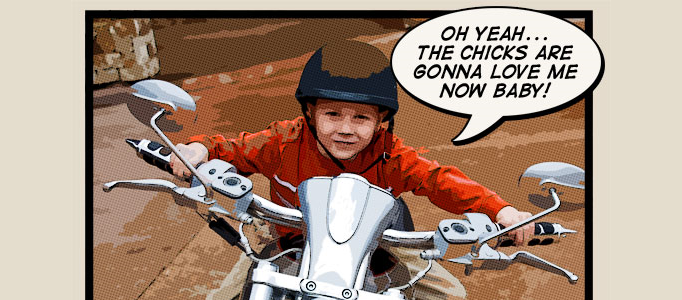
Special Comic Book Photo Effect
Under Photo Effect, Photoshop Tutorial
In this Photoshop tutorial, it will show you how to add a comic book effect to an ordinary photo using a few layers, the Cutout and Poster Edges filters and a few different layer blend modes. Sometimes, it is nice to add this unusual effect to your own pictures.
Create Your Own Planets
The “Polar Panorama Effect” is a photoshop technique which is eligible to turn the image into unique pieces of art. It takes a panoramic photo and uses the Polar Coordinates filter of Photoshop or The Gimp to create a circular image that seems to wrap the panorama around a planet.
Night Light Photoshop Tutorial
In this tutorial, it will explain the tools, thought process, and techniques to turn the image to be under night light. This effect can enhance your object colors substantially under the dark condition .
Making a Special Carriage in Night Scene
Most of special scenes can be made of different common images. Simple old carriage, bones plus one or two natural scenes can form a nice piece of special carriage scene using photo manipulation. This is mainly made using photo cut and paste plus color adjustment afterwards.
Super Lighting Effect for a Dance Motion in Photoshop
This tutorial is going to teach you how to combine photos and add special effects to turn a normal photograph into a stunning artwork. You will also learn several tricks to reduce your Photoshop document file size and number of layers and layer styles.
Create a Realistic Grass Cutting Machine
To create a realistic scene, you need to formulate a realistic background to match with. Some flying grass has been created around the machine in order to form the machine motion.
Retouch a Model Portrait with Flawless Natural Skin
In this tutorial, we’ll show you how to make a glamour retouch for a model portrait in Photoshop. You’ll learn a new method to create a great look for natural skin without using any extra plugins.
Turning your Image into a Ghost in Photoshop
Apart from adding make-up to your image , you can use new idea to turn your image into a ghost. This ghost image is mainly done using different photoshop functions such as filter, blur, adjustment etc. You can also apply the same following the tutorial to achieve the same result.
Generate a Fantastic War Scenery
How to design a proper war scenery? explosion, soldiers or bomb would be common elements to be used. Great and realistic explosion would be the key element when you carry out the combination of different pictures for your war scene.


