
Photoshop Lady
Your Favourite Photoshop Tutorials in One Place
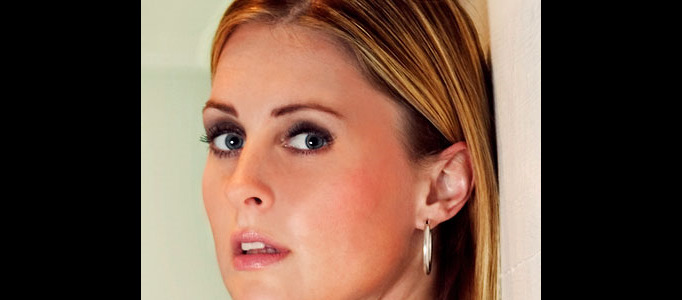
Quick and Effective Facial Photo Retouching
Under Photo Effect, Photoshop Tutorial
In this tutorial, it will lay down the basics of retouching and take you through the entire process, applied, layer by layer. When you actually see the process take place, the person seems to look fake afterwards, therefore, some adjustments are required.
Charming Make-up for a Lady Image
If you find your picture to be too normal, you can apply some nice make-up using photoshop. It is no need to use do your make-up every time before taking your pictures.
Turn your photo into movie-like effect
This tutorial will guide you to turn your photo into movie-like effect.
Apply a Fantastic Lighting Effect on an Image
There are various of lighting effects for photo edition. However, you may find very difficult to apply a suitable one to your images. Different lighting effects need to match with different scenarios. Here this one would be perfectly for your photo under dim condition or the color of photo is too monotony.
Forming a Dramatic Natural Preying Scene
You may watch lots of preying scene in geographic programme but simple natural preying scenes are difficult to capture. It usually happen in few seconds and disappear. Using photo combination effects, you can mix few photos together and form a nice preying photo.
How to Create a Watercolor Portrait in 3 Simple Steps
Recently I began experimenting with a quick technique for creating a watercolor style portrait with some of the brushes that we’ve created here. After some trial and error I’ve come up with a 3 step process that ends in a nice effect that works on just about any portrait.
Creating a Rocking Silhouette in Photoshop
If you’ve ever wanted to shine in the spotlights, try this tutorial. It shows you how to create a silhouette of a person taken from a normal photo, and adding colorful light to it as if the light source is located behind this object.
Making a Special Carriage in Night Scene
Most of special scenes can be made of different common images. Simple old carriage, bones plus one or two natural scenes can form a nice piece of special carriage scene using photo manipulation. This is mainly made using photo cut and paste plus color adjustment afterwards.
Create an Imaginative Island using Photoshop
Photo effect allows you to combine whatever scene you want. As no picture is perfect, you may need another good scene from another picture mix with this. Plus some color effects, your imaginative picture can be formed.


