
Photoshop Lady
Your Favourite Photoshop Tutorials in One Place
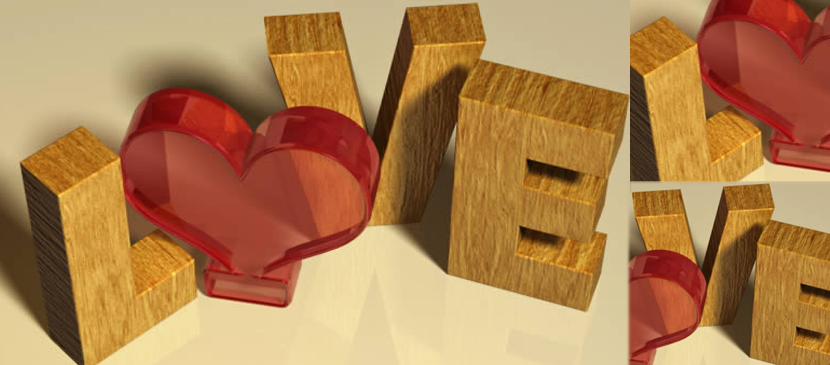
Making a Word Art for Valentine’s Day
Under Photoshop Tutorial, Text Effect
Valentine’s Day is coming. You may want to make something special for your lover. In this tutorial, we will combine Filter Forge and Photoshop to create a wood textured 3D text effect with a simple red glass heart.
Great Gooey Photoshop Text Tutorial
Text effect could be very great like this one as this word art look very creative. Melting and gooey words are really fantastic. You can use this idea to design your own words.
Text Effect – Fire Hell in Photoshop
In this tutorial, you will be able to see a 3D text art with fire. The author has chosen the “Hell” for his demonstration. Of course, you can use this idea in whatever you like, including change your favorite words. This idea was to create a 3D text with fire coming from the inside of the document like a hole.
Create a Nice Folding Effect for Text
There are various of text effects you can choose such as 3D and lighting texts. Apply folding effect would be a bit special. To do a set of formal folding text, you need to know how to fold the corners.
Making of 3D Snowing Typography
Seasons or weathers are always popular topics for web designers. Special weather topics are required special text style to suit for. Therefore, this snowing typography design can provide you some hints when you carry out your typography designs.
The New Way to Create Super 3D Text
You have to download the tutorial. In this tutorial, it shows you how to create super 3D text in Photoshop. To begin with, you need to create the 3D text. Then, put the special texture for the text. It may not be necessary to follow this tutorial exactly, you can change it into the way you want.
Dramatic Text Effect Creation in Photoshop Tutorial
You may feel bored to use normal text for your document or paper work. To produce something different, you can use some nice text effect for your wording. This tutorial is simple and nice, as most of the steps are done in “layer style”. No special techniques are required.
Design a Cool Blue Text Effect
In this tutorial, it will show you how to decorate your text with a cool blue effect. Here in the thumbnail, another motion blur design is added to be finalized with the same layer style settings just below the text designs.
Create a Spectacular Grass Text Effect
In this tutorial, it will show you to create a rather cool looking grass-text effect using a photo of grass, the pen tool. One neat little composition featuring text made out of grass!


