
Photoshop Lady

Your Favourite Photoshop Tutorials in One Place

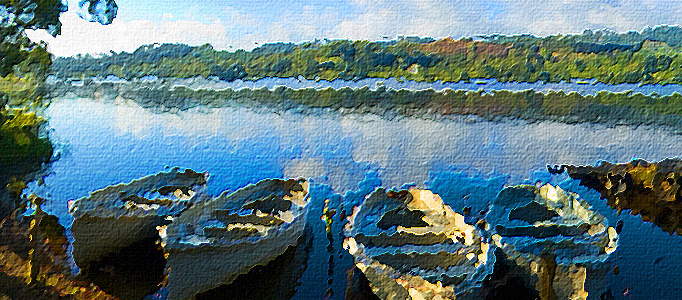
Instant Photo To Oil Painting Action

Under ,

In this Adobe Photoshop tutorial, you will learn how to take a photo and make it look like an oil painting, which is a popular and fun thing to do with Photoshop. At the final, “Instant Photo To Oil Painting” effect is now complete, which means Photoshop to stop recording the action.

Create a Wonderfully Coloring Effect

Create a Wonderfully Coloring Effect

There are various ways to beautify and improve your image. This wonderfully coloring effect has mixed quite a few of photoshop effects together such as lighting and coloring.

Create a Special Underwater Living Nature

Create a Special Underwater Living Nature

To create something special, you can create a special environment for different animal or species in the sky or under the sea. This tutorial will show you to create some sea species inside a wine bottle.

Design a Desperate Natural Background for a Lady

Design a Desperate Natural Background for a Lady

Apart from main objects, background is the second important element for your artwork. You can use it to interpret your object. For example, to present this lady to be desperate, it uses the bad weather to form the background.

Create a Human Distinct Desert Scene

Create a Human Distinct Desert Scene

To design something to be more interesting and with more elements, you can add some objects to emphasize your topic in your artwork. A dead human is added, then the entire design work and effect are completely different.

Fantastic Make-up for a Lady

Fantastic Make-up for a Lady

Using simple Photoshop functions, it can greatly transform your image to look like after make-up. Therefore, your skin will be natural and all marks or defect can be completed removed.

Create a Spendid Night Version Scenery

Create a Spendid Night Version Scenery

Have you ever tried to use combination effect to create a legend scenery? Here is a such good example to create a princess to stand in her castle. To mix several pictures into a single one, it is mainly related to color and lighting combination techniques.

Creating a Fantasy Photomanipulation

Creating a Fantasy Photomanipulation

In this tutorial, it is going to create a fantasy scene where a Priestess will be standing on a rock during the night holding a lantern in one hand and a golden lotus in other hand which creates a smoke ball, and there will be bunch of small rocks flying around the Priestess.

Create an Imaginative Species Alive Scenery

Create an Imaginative Species Alive Scenery

A normal children reading scenery can be turned into an imaginative photo. Lots of cartoon scenery like Harry Porter always make their magic or monster out of the book. You can use the same idea to apply to your photo like this tutorial.