
Photoshop Lady
Your Favourite Photoshop Tutorials in One Place
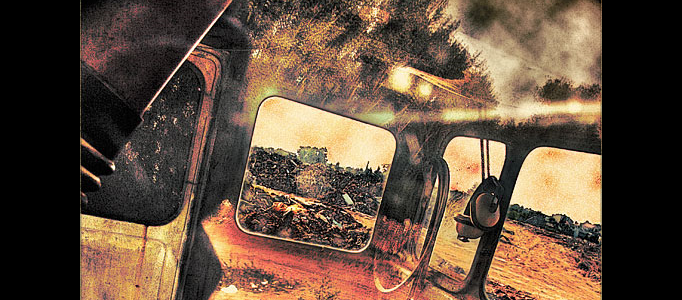
Faking HDR in Adobe Photoshop
Under Photo Effect, Photoshop Tutorial
Maybe you love photos which looks like painting, maybe you hate it. Anyway it can be useful to know, how to do it. It also shows you to use some other adjustmenst to achieve this look.
Super Transparent Effect for an Image
Lots of simple effects around you can be special. Simple turning your object into transparent that can draw lots of people’s attention. Here the tutorial will show you to turn a hand and mouse into transparent like under X-ray.
Create a Natural Coastal Scenery for a Style Lady
If you love the natural environment and would like them to show on your pictures, you can swap your indoor pictures with your favourite natural backgrounds. It is just required to arrange the prepared pictures together and apply photo combination effects
Turning a Model into a Nice Angel Statue
Using Photoshop, you can turn whatever object into what you like. You do not need to scratch your head for capturing the objects outdoor because you can create it on your computer like this angel statue.
Design a Super Imaginative Scenery in Dessert
Some of you may want to design something awesome which is out of reality. To design such an imaginative scenery, the most important element is your imagination. Using few of pictures plus little design skills, then you can create a fantastic scene like this.
Concept of Constructing a Statue of Mechanical Head
This tutorial will present you the concepts of constructing a statue of mechanical head. The sculpture Mechanical Head was formed by combination of architectural elements and anatomical modeling in this mechanical piece, and decide to recreate it in a dramatic steam punk style.
Amazing Creation of a Natural Scenery
One tree, plus a natural environment can be mixed to be a fantastic natural scenery. You just need to prepare three photos, then this nice scenery can be created using photo combination skills.
Making of a Realistic Dragon
To make something imaginative, you may need to collect relevant images first. Using photo manipulation, you can simply take out different parts of your images to form something new such as a dragon. You can draft your dragon first and then stick lizard’s skin piece by piece into your draft.
Transform a Person into an Alien
In this tutorial is written about how to create a very cool looking alien using Adobe Photoshop. The sample picture of Tom Cruise is used to alienize. Of course you can use a picture of your friend, a family member or even yourself.


