
Photoshop Lady
Your Favourite Photoshop Tutorials in One Place
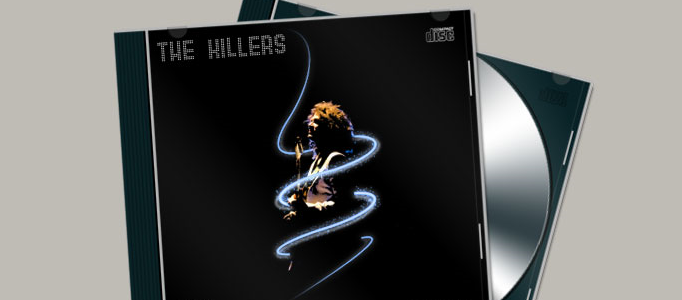
Electrifying Glow Album Art
Under Photo Effect, Photoshop Tutorial
In this Photoshop tutorial we will use the pen tool, paths brushes and brush dynamics along with a neat little trick using thresholds to create a cool album cover look. For my finished image the graphic is added as an CD album cover.
Making a Flowery Lady in Photoshop
Making a cute image for a lady, you need to prepare a plain background plus add some objects such as additional flowers to stand out your image. You can use same skills to create your own style image in different topic or background.
Create a Surreal Artwork of Layered Heads
Photoshop allows you to create many forms of art. There is no limit of what kind of artwork we can create. The only limit is our imagination. Here will show you to create a surreal artwork for a human head.
Marvelous Appearance Transformation for Car
When you fed up of your car or machine’s appearance, you can have a try to change their appearance to old style or with different color. To change it perfectly, you need to have some photoshop techniques to achieve.
Modern Ruins
This tutorial will show you the steps and tricks in turning Hong Kong harbor into a wasted reflection of itself. Do a final once over, selectively desaturating anything that pops too much.
Design a Fabulous War Poster
War poster may not be necessary to be a war scene with a lot of explosions. To create a simple one, you can just prepare a soldier image with some nice building backgrounds. Using simple photomanipulation techniques, you can mix few photos in your style you want.
Fabulously Multi Coloring Creation for an Image
Simple coloring and photo edition could turn your normal image into something fantastic. This coloring effect combined with lighting and simple coloring to mask on your image to form this nice result.
Photo Manipulation – Beautiful Lady Sitting under Sky
This tutorial is going to show you how to do a photo combination. It is very difficult to perfectly combine 2 or more photos due to their background, color or object unlikely to match each other. Combination skills are therefore, essential for this. Just have a go for this tutorial to create a good photo for yourself!
Orange Porsche with Fruit Skin
In this tutorial, it will show you how to re-decorate the Posche with fruit skin. This time, orange skin is used for making the skin. Then use the color adjustment plus other special effect to complete this tutorial.


