
Photoshop Lady
Your Favourite Photoshop Tutorials in One Place
Create an Amazing Photo Strip in Photoshop
Under 3D Effect, Photoshop Tutorial
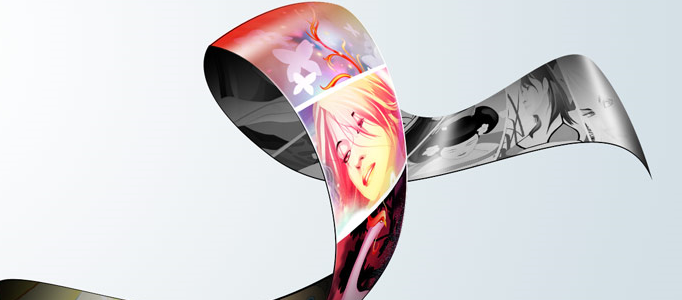
In this tutorial, it will show you how to build an amazing photo strip. It is mainly made by warp tool. After finished this tutorial, you will be able build a photo strip with your own photos or artwork.
Create an Awesome Apple iPhone
In this tutorial, it is going to show you how to create an awesome apple iPhone. This design looks very familiar to our previous 3d screen or mobile phone design tutorial. As the designers use the similar techniques on the screen.
Designing a Portable Gaming Device Poster
Welcome (back) to Photoshop Lady. Thanks for reading! In this tutorial, it will illustrate you how to design a fantastic portable gaming device poster. We will be walking through the making of an interesting, creative advertisement poster. This is what we would consider great for advertising your newest product, or just getting some design practice.
Create a Fantastic Golden 3D Text Scene
Different topic needs to have different text effect to match with. If your topic is in dark background, this golden 3D text effect is a good option for you to apply. The main idea is to use some texture to overlay on the top of 3D text plus some adjustments in blend option.
3D Road Map Creation
In this tutorial, it will show you how to create a 3D map in Photoshop using different 2D and 3D models like cars, trees, road, clouds and so on. You can get creative amnd make your own 3D island in Photoshop.
3D Digital Rendering for a Porsche
In this tutorial, it will show you how to render a 3D Porsche in Photoshop. You can also create a different car by the same method. You need to prepare a draft of the car and follow the steps in this tutorial. You will be able to create a different by change the relevant settings such as color.
Create a 3D Glossy Box Logo in Photoshop
In this tutorial, it will show you how to create a 3D glossy box logo in Photoshop. Color selection for a background is important because it will influence how your image stands out. Since it is going to be creating a vibrant glossy box, you can have a look how it is.
Design a Shiny Photorealistic Apple Remote
Apple has so many beautiful products. In this tutorial it will show you how to make a shiny new apple remote. And also make the reflection for this one as you did for the first remote.
Creating an Abstract 3D Design
In this tutorial, it will demonstrate you how to create a 3D abstract design. To begin with, you need to extract the image first. Of course, you can pick an image you like. Then following the steps about image adjustments. At the end, using the brush to draw the colorful line and add the words design in the centre.


