
Photoshop Lady

Your Favourite Photoshop Tutorials in One Place

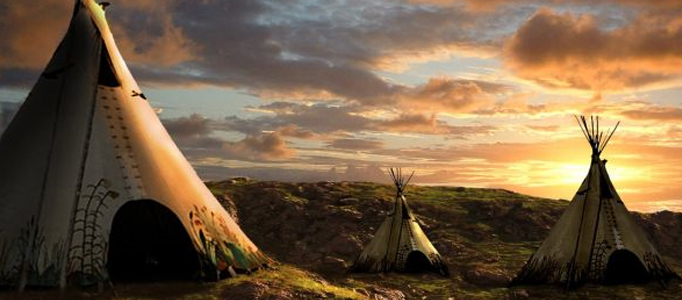
Create a Super Natural Sunset Scenery in Photoshop

Under ,

In this tutorial, it will guide you to create a beautiful sunset with some tepees. We will use several pictures to do the photo combination. The techniques are simple.

Create a Wonderfully Coloring Effect

Create a Wonderfully Coloring Effect

There are various ways to beautify and improve your image. This wonderfully coloring effect has mixed quite a few of photoshop effects together such as lighting and coloring.

Transform your Image into Bank-Note Style

Transform your Image into Bank-Note Style

In most of the countries, a country leader or the Queen ’s image usually is the country symbol and printed on the Bank-note such as American dollars and English pounds. You can also make your image on the bank note.

Create a Great Universe Scene in Photoshop

Create a Great Universe Scene in Photoshop

To create an universe scene, planets and sun are the essential elements. Usually, the designers would create some nice lightings to beautify the objects.

Streams of dusty light Photoshop tutorial

Streams of dusty light Photoshop tutorial

We will use this picture that the Arlington Cemetary is taken for the tutorial. That’s it, you are done.

Professional Poster Creation using Photoshop

Professional Poster Creation using Photoshop

To create your personal movie poster, you can try a few movie poster tutorials first to get started. As there are various approaches to do, you can try to find the good skills which is suitable for your own poster creation.

Eery-Eye Photo Manipulation

Eery-Eye Photo Manipulation

In this tutorial, it will demonstrate you how to use the burn tool, dodge tool, brushes, layer modes and more to add an interesting effect to an otherwise regular stock photo.To finish off, apply a Selective Color adjustment layer is necessary for this task.

Painting with Fire Using Photoshop’s Liquify Filter

Painting with Fire Using Photoshop’s Liquify Filter

Recently I was searching for a way to shape flames and change the direction of fire in a Photoshop composition. After a little experimentation, I discovered that Photoshop’s Liquify Filter handles the task brilliantly.