
Photoshop Lady
Your Favourite Photoshop Tutorials in One Place
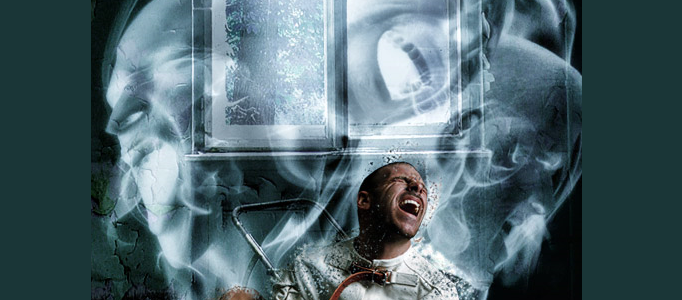
Create a Fabulous Scene of Soul for an Image
Under Photo Effect, Photoshop Tutorial
This time, the tutorial will present to make a fabulous soul for an image. Sometimes, when you would like to create some powerful or extraordinary scene, it is always good to add some of souls behind your presented images.
Nice Transparent Bubbles Creation
This tutorial will give you an idea to create a transparent bubble. You can apply the idea to make your rain drops. You can transform your image inside a bubble and add some reflection effects for it.
Bringing a Stone Statue to Life
In this tutorial, it will show you how to take a stone statue and alter it to look life-like. When it looks just right, flatten the image (save the layered file first in case you want to go back to it) and do a levels adjustment and a final photo filter to warm the whole image and tie the tones together.
Create a Mobile Phone Ad Design
In this tutorial, it is going to show you how to manipulate a combination as a Phone ad. You will be able to experience how to paste different images to match the background products.
Making of a Born Butterfly Scenery
Lots of treasury scenery are difficult to be captured. However, you can create the scenery based on sever realistic images using photo manipulation. The manipulation can allow you to produce the important scenery such as this butterfly scenery. To stand out the image, you can apply the contrast effect after.
Create a Funny Milky Monster
As long as you have a fantastic idea, you can turn even a glass of water or milk into a funny and interesting scenery. This is a good example to show you how to put eyes and mouth on some milk to form a funny face.
Design a Grant Car on the Snow Mountain
Different objects require different nice background to match with. What you need is to find some nice environments or backgrounds and apply photo combination effects to simulate their color and lighting. Then you can form varieties of sceneries for your objects background.
Photo Manipulation – Create a Desperate City
Nowadays, any environment can be formed using photo manipulation. To form the captioned topic, an lady image, mask and buildings can be prepared and combined plus adjustment of blending options.
Create a Fabulously Imaginative Scenery
Different people would have different imaginative scenes. Here this scene is the combination from moon, flower, path and a mountain. The tactics are the fusion of their colors so as to mix different pictures together.


