
Photoshop Lady
Your Favourite Photoshop Tutorials in One Place
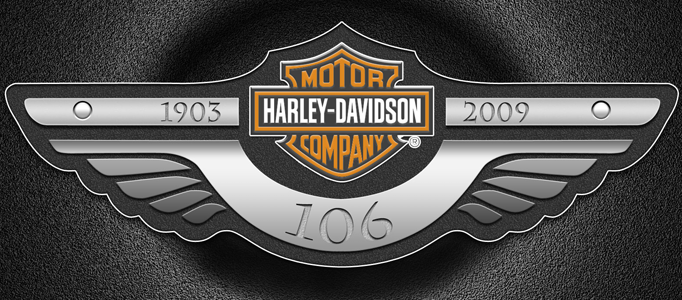
Create a Decent Design Logo – Harley Davidson
Under Photoshop Tutorial, UI Design
This post will present you how to make a special logo called “Harley Davidson”. The most difficult part for designing a logo is the design initiation. Logos normally look very simple and unique, as its job is to send the impression of your company / product to the reader or customers. Just try to make a logo for yourself!
Design a Detailed Compass Icon in Photoshop
In this tutorial, it will show you how to make a “Compass Icon”. It is like the our previous icon designs. This will focus on how to make the compass to be more realistic. As described in other tutorials, it is required to spend more time on adding the reflection and shadow for the icon object.
How to Create a Replacement iTunes 10 Icon
In this tutorial, we are going to teach you how to create a replacement Itunes 10 icon that you will be able to use. I was not really a fan of the original Itunes 10 icon that they came up with, so I set out to create my own. We will work through techniques using smart objects, filters, paths and more. If you want to improve your path tool skills and layer styles then this tutorial is for you.
Combine 3d Renders With A Stock 3d Model
In this tutorial, it will show you ways to adjust and blend multiple stocks together to create a seamless kaleidoscopic base for an artwork. The tutorial also cover basic etching techniques, look at some new layer-masking methods and have a play with different kinds of blur effects.
Interface Orbs
In this tutorial, it will show you how to create a interface orbs. Hope you orb-sorbed everything this tutorial had to offer.
Design Watercolor Effect Menu
In this tutorial, it will show you how to create an artistic and un-typical CSS list menu as seen on Web Designer Wall. In this article, you will learn how to design a watercolor effect menu and how to slice the menu and code in CSS.
Black Website Design
In this tutorial, it will show you how to create an elegant black website template. To create a user friendly and simple web, you may not find it struggling with. However, the differences between an elegant web and a simple web are the background and navigation button designs. To begin with your own webpage, you can have a go with this to learn.
Glossy-Style Carbon Fibre Navigation Buttons
In this tutorial, it will show you how to design something like what to show, a kind of glossy, carbon fiber navigation set.
Design a Pretty Little Blue Bird Icon
Nowadays, there are millions of icons on the internet for downloading. However, as a designer, you may want to design your own interface icons. Here this tutorial will give you some ideas to develop a cute one for your own use.


