
Photoshop Lady
Your Favourite Photoshop Tutorials in One Place
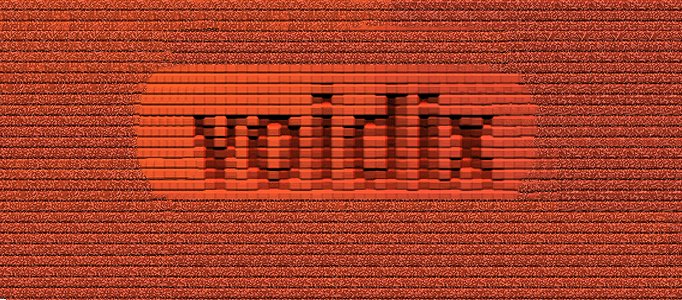
Brick Text Photoshop Tutorial
Under Photoshop Tutorial, Text Effect
In this tutorial we are going to take our text and turn it into an inlay in an old brick wall. To start off, lets create a brick-colored background. A small black border of 10 pixels, and included my domain name are added. Here is how mine turned out.
Style Shining Text Effect Creation
Here will show you skills to make a style shining text effect. It is mainly based on blending options setting. To enhance your text effect, you better start using a thick text, then your text effect can be easily stood out.
Making the Fabulous Reflection Typography
There are many different typography styles. Simple reflection can be applied to your text and form a completely different result. Plus adding some colors, your typography can be done.
How to Create an Awesome Burning Text Effect
In this tutorial, it will show you simply create an awesome burning text effect in photoshop. It is based on the real fire photo plus a rusty photo backgrounds. Using easy combination techniques, the nice text effect can be formed.
Wonderful Candy Text Creation
In this tutorial, it will teach you how to make a wonderful candy text. Different style sites need to have different style of texts. And, this one is really useful for some funny site.
Fantastic Multi Color Effect for Text
This multi color effect can be applied widely for any background as long as you select right colors for your design or object. You can also change the pattern to suit different scenarios by changing the line crossing.
Awesome Papercraft Text Effect
In this tutorial, it will show your an awesome papercraft text effect. This tutorial is a bit long since a lot of steps have been involved. However, it is worthwhile to have a go. As you may be inspired after accomplishing this.
Awesome Lighting Effect Creation for Text
Text effect is a substantial element to your design so you may need different style text effect to suit for different situation. This awesome lighting is applicable for dark backgrounds.
6 Quick’n’Dirty Photoshop Text Effects
In this tutorial, it will show you how to make 6 different effects using just layer styles. But, we just focus on the golden text. It uses an Outer Bevel on top of a fat Stroke to create the highlights. Then when we place the other layer on top they come together to make a lovely gold effect!


